Blog

Home  /   Blog

Cool Tool: Checkiday

Did you know today, January 28, is Data Privacy Day? Happy Data Privacy Day!

It’s also Fun at Work Day, National Blueberry Pancake Day, National Kazoo Day and Thank a Plugin Developer Day. So, thanks to the developer of previous Cool Tool Edit Flow plugin… I guess?

OK, so maybe today’s weren’t the most useful, but things like National Pie Day (January 23), National Beer Can Appreciation Day (January 24), and National Bloody Mary Day (January 1) CAN be useful social media content when they’re applicable to your industry.

That’s why one of the first things we do everyday is visit checkiday.com to see what weird holidays whoever-it-is-who-declares-holidays has declared that day to be. Just in case!

Cool Tool: Feedly

Part of me is convinced this is a Captain Obvious recommendation, but the other part of me regularly has conversations where someone tells me they can’t remember to check all the blogs they want to follow, and I tell them to just use an RSS reader, and they say “um… a what?”

So I’m going to tell you about an RSS reader now.

That’s what Feedly is. An RSS reader aggregates all of the sites you want to read in one place, bringing the newest content to the top. You can sort the feeds into folders (I have one for marketing, one for Columbus, one for the drinks industry, one for humor, and one for news) so that, when you’re short on time, you can only read the content that is most important to you. (For me, that’s usually humor. Hey, we all need a laugh.)

When you see the little orange RSS icon on a site, you can click it and Feedly will know what to do with it – or, you can click “Add Content” within Feedly to paste an RSS feed or search for a site.


feedly

Cool Tool: Canva

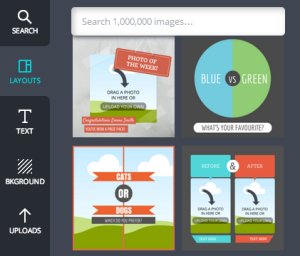
You’re likely looking for good visual content to share on Instagram, Pinterest, Facebook and other image-heavy social networks. If you’re not particular design-savvy, it’s pretty hard to crank that content out, especially when you need to do it daily, and often quickly. Canva changes everything.

canva

Canva is an extremely easy-to-use… graphic design program? Stock photography website? I really don’t know what to call it, because it combines a lot of great features to create one tool that community managers should have in their toolbox to knock out compelling visual content.

Pick one of their templates or start from scratch, add in cool text elements and upload your own photos, or buy one of millions of images from their library for only a dollar a piece. A dollar!

canva logo

Cool Tool: Death to the Stock Photo

Visual content is key in digital marketing, but good visual content is also hard to create without a good camera or good eye, and is expensive to buy via stock photo websites (and the content that’d available is often kind of cheesy.)

Death to the Stock Photo emails free high-resolution lifestyle photography to you monthly, to do whatever you want with. No catch. Use the photos on your website, your menu, your social media outlets, whatever.

Here are a few recent photos they’ve sent out:dtsp

Did I mention these are all free? Why haven’t you signed up yet?

death to stock photo

Cool Tool: BatchGeo

For MONTHS I had folks asking me when I was going to create a map of local breweries for Drink Up Columbus, but I wasn’t exactly sure how, so it kept slipping off my to-do list.

Then one day I published this directory of growler fill spots in Columbus, and Andy from The Salt Mines co-working space here in Columbus offered out of the blue to make me a map if I sent him a spreadsheet of addresses. No more than three minutes later he shot back an embed code for a map.

HE’S A WIZARD, I thought… but it turns out he just used BatchGeo, which is an AWESOME free resource if you need to make a map of a few different locations and you’re maybe a little bit technically challenged. Put the business name in column one, the address in column 2, copy/paste into the website, and you have a map, which you can go back and edit as needed. There’s also a paid version if you want to do more with it.

I made these three maps in less than five minutes total. AWESOME.

BATCHGEO

Page 1 of 3123>